Parley Notes: On‑device meeting recorder that protects spoken data
Parley Notes, from Applicair, is an Android meeting assistant that captures spoken conversations and turns them into searchable documentation. The app records meetings and appointments, producing time‑stamped transcripts and summaries using local AI without relying on cloud transcription. It targets professionals, students, and patients who need private, searchable records of conversations and follow-up items while keeping audio processing confined to their device.
How does the app convert speech into structured notes?
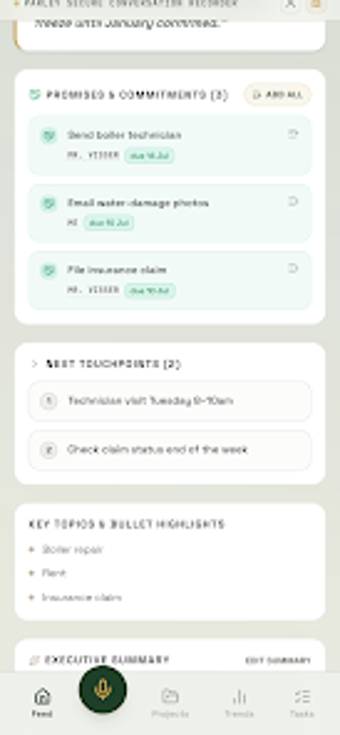
The app records audio through the phone microphone or its web companion and runs an on‑device AI transcription model that identifies speaker turns and extracts semantic elements. The tool separates participants automatically and marks segments with timestamps, then detects decisions, commitments, and questions for export. This pipeline produces a time‑coded transcript plus extracted items suitable for follow-up and tracking.
Does it affect device resources during long recordings?
Parley Notes lists minimum platform requirements, recommending Android 7.0 or newer, a 64‑bit processor, at least 4 GB of RAM, and 1 GB free storage; these specs indicate the app uses measurable local resources during capture and transcription. It also continues recording and transcribing in the background with the screen off, so devices that meet the recommended hardware deliver smoother operation than older phones.
Is using it safe for private or sensitive conversations?
The app processes audio entirely on the device and does not upload recordings to external servers for transcription; the developer states that transcription happens locally. Recordings can originate from the phone mic or via the web companion without inviting external bots into meetings. Optional integrations exist to send summaries to Gmail and to create Calendar events, and those actions are separate from the local transcription step.
Do I need technical skills to operate its templates and controls?
The app provides one‑tap recording and a lock‑screen quick‑start for immediate capture, which covers casual use. For more structured results, specialized templates target business meetings, lectures, and medical visits and include fields such as dosages or follow‑up questions for medical notes. Casual users can record with minimal setup while professionals can apply templates to produce more detailed, labeled outputs.
Who benefits most and what to watch for
Parley Notes is a practical option for privacy‑minded professionals, students, and patients who need locally processed meeting records and time‑coded transcripts. A clear trade‑off is the recommended hardware, which means older or low‑memory devices may struggle with long recordings. Practical tip: test a short recording and enable the lock‑screen quick‑start before relying on it for important meetings. Recommended.